Grounded Library documents
Trace Library summaries back to exact messages, threads, attachments, and external sources.
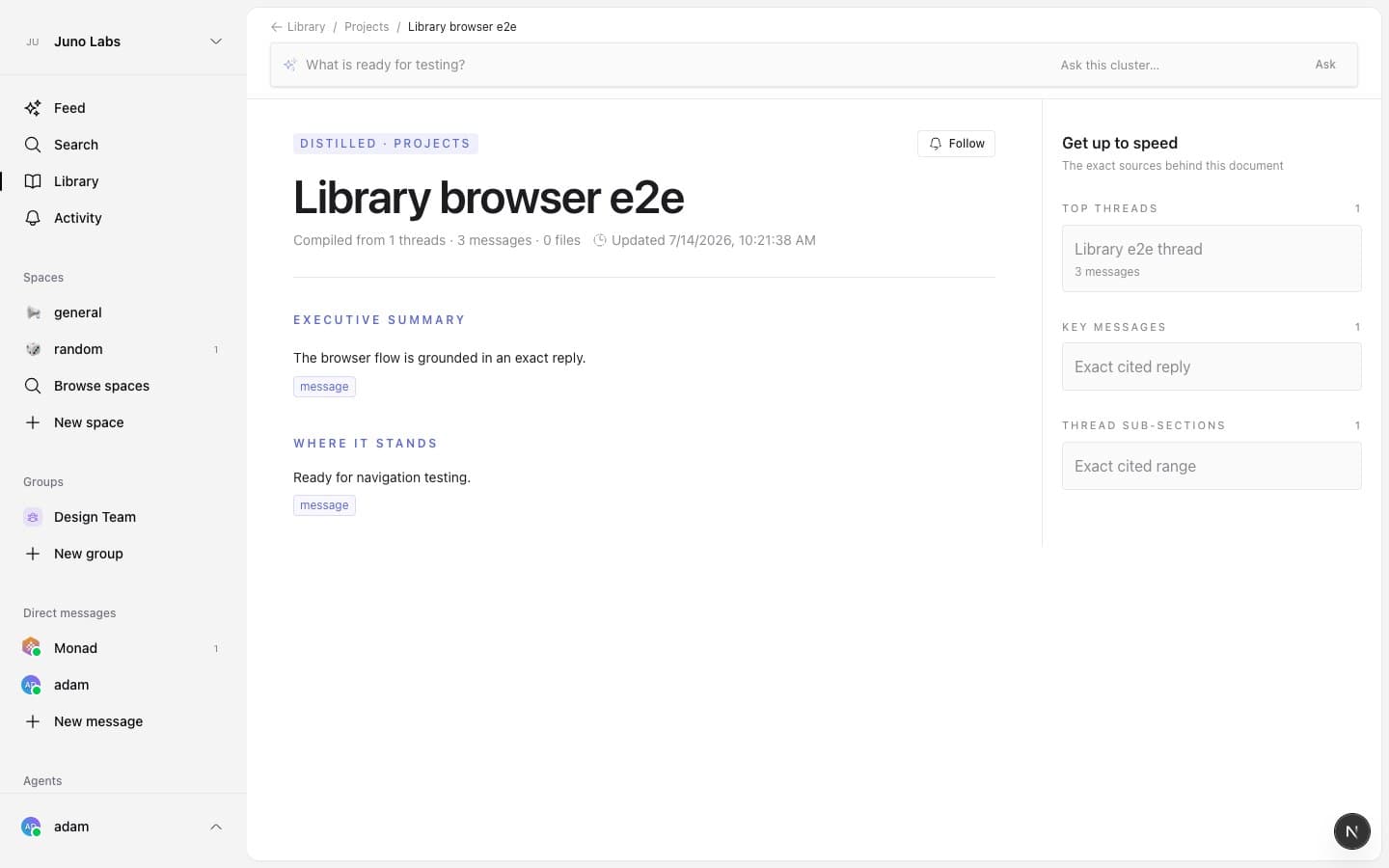
A Library cluster opens as a living document. It answers four practical questions: where the work stands, which decisions shaped it, what remains open, and how the team got here.
Check the evidence
Generated claims include source chips. Select one to open the exact message, thread, thread range, attachment, or external object behind the claim. Thread ranges highlight every cited reply from the first through the last endpoint, so the evidence remains visible as one contiguous passage. Connector source tiles open the internal object view without exposing surfaces you cannot read. PDF, document, spreadsheet, image, audio, and video sources can contribute extracted text, so a claim may cite facts inside a file rather than only its name.
On a large screen, Get up to speed stays in the right rail. On mobile, the same sources appear in a collapsible section below the document. It groups top threads, key messages, thread sections, attachments, and connected external objects.
Ask about this cluster
The question bar rotates suggestions based on the open cluster. Select a suggestion or type your own question. The answer stays on the page and cites only sources already available to that cluster.
Read charts safely
Library can show source totals and activity timelines. Their values are computed from the cited source set, not invented while writing the summary. Use the source rail when you need the underlying detail.
The freshness line shows when the document was last compiled. If a new compile cannot be safely grounded, Library keeps the previous valid document instead of replacing it with an incomplete one.